How does Express know a response is HTML?
When you pass a string to res.send() and haven't set a type, Express looks at it and sets Content-Type: text/html; charset=utf-8. That happens for any string, including 'Menu coming soon', which is why plain text from earlier lessons still arrived as HTML. The browser then reads the body as HTML and builds a page from it.
The header is what decides how the body is shown. The same characters sent with text/plain appear on screen as raw tags, angle brackets and all. If a page shows its own source code in the Browser view, check the Content-Type in the Requests view before you check the HTML.
Objects and arrays are different. Pass res.send() an array, or call res.json(), and Express sends JSON with application/json instead. The JSON lesson later in the course uses that on purpose.
Why use template literals for HTML?
A page is a long string, and template literals, the strings in backticks, make long strings readable. They can span many lines, so the HTML keeps its shape in your code, and they let you drop values in with ${...}. The home page in the starting code is one template literal from <!doctype html> to </html>.
Single and double quotes don't do either of those things. A ${title} inside single quotes is just six characters, and it lands in the page as written. That mistake is easy to make when you copy a line from older code, and it shows up most often in a <title>, where nobody looks until the tab says ${title}.
Send a whole document each time: a doctype, <html lang="en">, a <head> with <meta charset="utf-8"> and a <title>, then the body. Browsers forgive missing pieces, but the language, character set and title matter to screen readers, accented letters and search results.
app.get('/hours', (req, res) => {
  const today = 'Tuesday to Saturday';
  res.send(`<!doctype html>
<html lang="en">
<head><meta charset="utf-8"><title>Hours | Corner Bakery</title></head>
<body>
  <h1>Opening hours</h1>
  <p>${today}, 7am to 3pm</p>
</body>
</html>`);
});
How do you turn an array into a list?
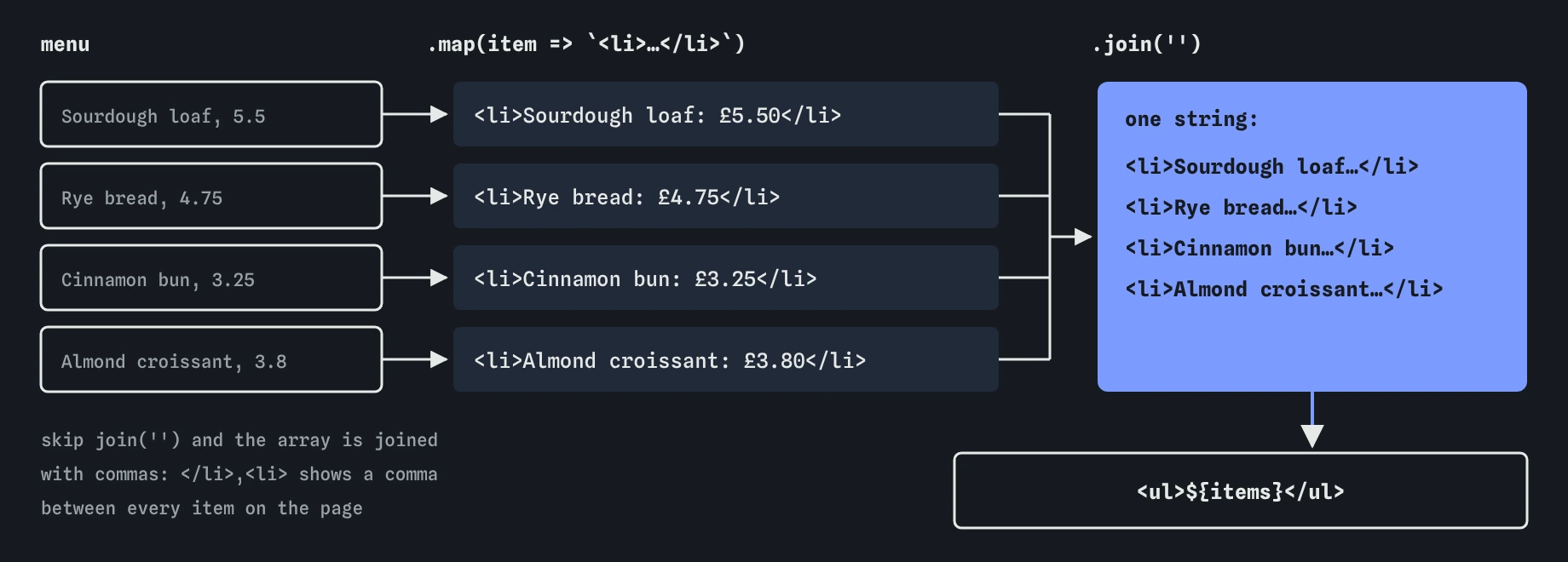
The bakery's menu lives in an array of objects. To show it, you turn each object into a string of HTML and stick the strings together. map() does the first part: it runs a function on every item and returns a new array of whatever that function returns, here one <li> per bread.
join('') does the second part. It turns the array of strings into one string, with nothing between the pieces. Skip it and put the array straight into a template literal, and JavaScript converts it for you by joining with commas. The page then shows a small comma before every item after the first.
Build the list in its own variable before the big template. The page template stays readable, and if something looks wrong you can console.log(items) and read the exact string in the Log.
const items = menu
  .map((item) => `<li>${item.name}: £${item.price.toFixed(2)}</li>`)
  .join('');

// later, inside the page:
// <ul>${items}</ul>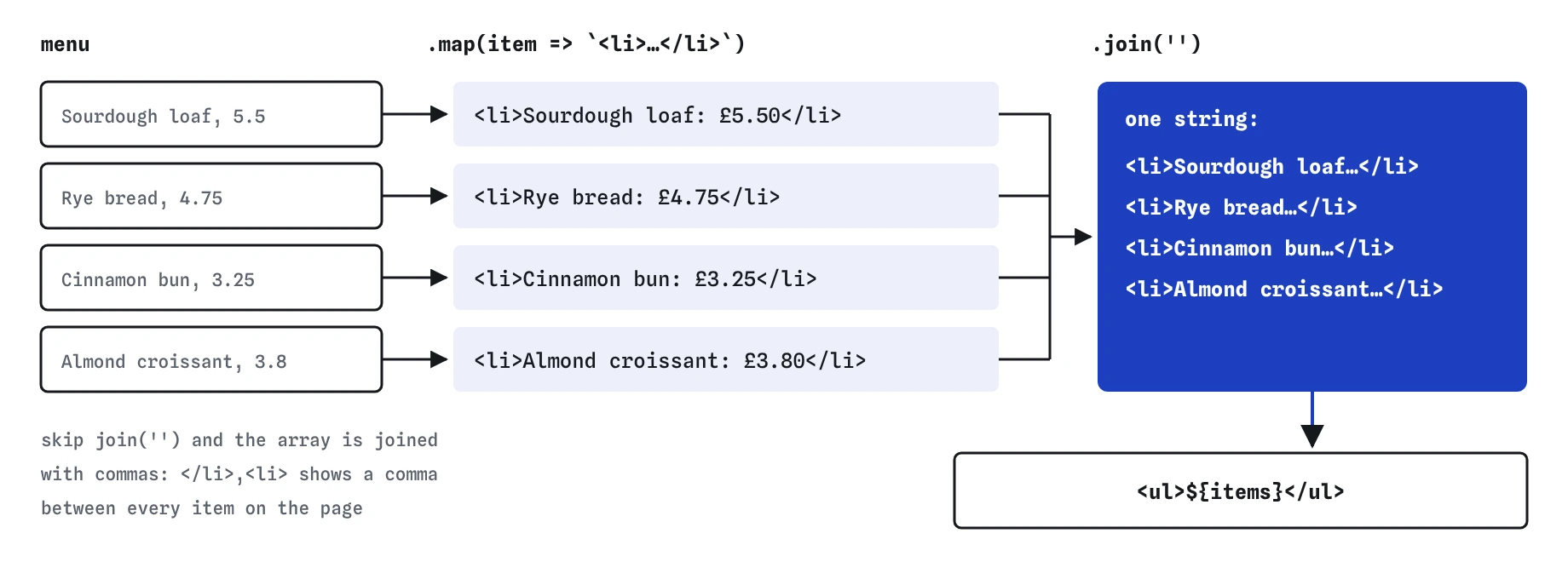
How do you format values before they go into the page?
Data rarely arrives in the shape a visitor should read. A price stored as 3.8 should show as 3.80, and toFixed(2) does that. A date stored as 2026-03-14 might read better as Saturday 14 March. Do the formatting in JavaScript, close to the template, and keep the stored data plain.
Watch for undefined. If you write ${item.cost} and the field is really called price, the page shows the word undefined without any error. The Requests view's body preview makes this quick to spot. Search the preview for undefined and NaN whenever a page looks off.
Empty data deserves a thought too. If the bakery sells out and the array is empty, map() returns an empty array and the page shows a heading over nothing. A short check, such as sending <p>Sold out for today</p> when menu.length === 0, tells visitors what happened instead of leaving them guessing.
How do several pages share one layout?
Once a site has three pages, copying the same <head> and footer into each route gets tiring, and the copies drift apart. Move the shared parts into a function that takes the page's title and content and returns the whole document. Each route then builds only its own middle part.
The function is plain JavaScript, with no library involved. Real projects often use a template engine for this, such as one that reads .html files with placeholders. The practice server has no template engine, and the idea is the same: one place owns the page frame, and routes fill in the middle.
Give the layout everything that changes per page as arguments. The title is the obvious one. A page description for search results and a class for the current nav link are common second and third.
function layout(title, content) {
  return `<!doctype html>
<html lang="en">
<head><meta charset="utf-8"><title>${title} | Corner Bakery</title></head>
<body>
  <nav><a href="/">Home</a> <a href="/menu">Menu</a></nav>
  ${content}
</body>
</html>`;
}

app.get('/hours', (req, res) => {
  res.send(layout('Opening hours', '<h1>Opening hours</h1>'));
});
What goes wrong when visitors' text goes into your HTML?
Everything you put into a template becomes part of the page. That is fine for the bakery's own menu, which you typed. It is dangerous for anything a visitor typed, such as a name in a sign-up form or a comment on a sighting. If someone types <script> into that field and your server drops it into HTML unchanged, every visitor's browser runs it.
The defence is escaping: replacing <, >, &, and both kinds of quote with their HTML entities before the text goes into the page. A later lesson on unsafe HTML builds an escapeHtml() helper and adds a second layer with a security header. Until then, treat any value that came from a request as untrusted, and only put your own data into pages.
Template engines escape by default, which is one reason larger projects use them. Hand-built templates like these escape nothing unless you do it.
How do you check a page in the Requests and Browser views?
Send GET /menu and start in the Requests view. The response line should say 200 and text/html, and the body preview shows the exact characters the server sent. Look there for commas between list items, a literal ${, or the word undefined.
Then switch to the Browser view to see the page the way a visitor does. Links work: clicking **Home** sends GET / to your server, and a new exchange appears in the Requests view. If the Browser view shows tags as text, go back and read the Content-Type.
What should you look for in AI-written HTML routes?
AI tools often produce this map-and-template pattern and often skip the details. Check that list-building code ends with join(''), that the page has a doctype, lang and charset, and that every template is in backticks.
Look closely at any value from req that lands in a template, such as req.query.name or a form field. Generated code frequently drops it straight into the HTML. Escape it, or keep it out of the page until you can. If the code calls res.render(), it expects a template engine you haven't set up, and the practice server will tell you it has none.
Field notes
- When you send a string, Express marks it as HTML for you.
- Template literals in backticks keep long HTML readable and let you insert values with
${}. - Use
map()to turn each item into HTML, thenjoin('')to glue the pieces together. - A small layout function lets several pages share the same head and footer.
Easy to get wrong
An array inside a template literal is converted with commas between items. join('') makes one string with nothing between them.
Only backticks fill in ${...}. In single or double quotes the placeholder is sent as plain text.
res.type('text') sets text/plain, so the browser shows the tags as text. Leave the type alone for HTML strings, or set it to html.
Anything a visitor sends can contain HTML or scripts. Putting it into a page unescaped lets one visitor run code in other visitors' browsers.
Questions people ask
Should I build HTML in strings on a real site?
For small sites, a layout function and template literals work well and stay easy to read. Bigger sites usually move to a template engine, mostly for automatic escaping and separate template files.
Why does my page show question marks instead of the pound sign?
Usually the page is missing <meta charset="utf-8">, or the file was saved in another encoding. Express sends charset=utf-8 in the header for strings, and the meta tag keeps saved copies of the page correct too.
Can I send an HTML file instead of a string?
Yes. res.sendFile() sends a file from disk, and express.static() serves a whole folder of them. The next lesson covers static files. Strings are the choice when the page depends on data.
Does res.send() need return in front of it?
Not at the end of a handler. You need return res.send(...) when more code follows that might send a second answer, which the status codes lesson showed.