What does the status code tell the client?
Every response begins with a three-digit number. It is the server’s one-line verdict on the request, and it arrives before the headers and the body. Browsers, fetch() calls, search engines, caches and uptime monitors all read it first, and many of them read nothing else.
The words in the body are for people. The number is for programs. A page that says “Sorry, that order is missing an item” with status 200 reads as an apology to a person and as a success to every script that sent it. Getting the number right is what lets other software react correctly.
What do the five families mean?
The first digit groups codes into families, so even an unfamiliar code tells you roughly what happened. You will mostly send codes from the middle three families; the 1xx codes are handled by Node.js itself.
The family also tells you where to look when something fails. A 4xx in the Requests view points at the request: the path, the method or the body. A 5xx points at your code, and the Log usually holds the error that caused it.
1xxinformation: the server got the request and is still working. Rare in everyday code.2xxsuccess: the request worked.3xxredirection: the thing is somewhere else, look there.4xxclient error: the request itself was wrong, and sending it again unchanged won’t help.5xxserver error: the request may have been fine, but the server failed to handle it.
Which codes will you use most?
A small set covers almost every situation on a typical site or API. 200 OK is the normal success, and Express sends it for you. 201 Created says a POST made something new, such as an order. 204 No Content says it worked and there is nothing to send back, which suits a delete.
301 Moved Permanently and 302 Found send the visitor to another address in the Location header. Use 301 when a page has moved for good, so search engines move their listing too, and 302 for a temporary detour such as “thanks for your order” after a form. 307 and 308 are stricter versions that keep the original method.
400 Bad Request means the client sent something invalid. 401 Unauthorized means the request needs a login and doesn’t have a valid one. 403 Forbidden means the server knows who you are and the answer is still no. 404 Not Found means nothing lives at that path. 500 Internal Server Error means your code failed, and Express sends it for you when a handler throws.
How do you set a status in Express?
Call res.status() with the number, then send as usual: res.status(201).json(order). The two calls chain because res.status() returns res. On its own, res.status() only records the number. Nothing is sent until send(), json() or another finishing method runs, so a handler that stops at res.status(404); leaves the browser waiting.
res.sendStatus(204) sets the status and sends its standard name as the body in one step, such as Not Found for 404. It is handy for quick answers where the status is the whole message. For 204 Express sends no body at all, because that code never has one.
Express 5 checks the number. res.status('404') as a string throws a TypeError, and res.status(99) throws a RangeError, which shows up in the Log as a 500. Older tutorials sometimes write res.send(404, 'Not found'); that form was removed in Express 5.
res.status(201).json(order);        // created
res.status(400).json({ error: 'Every order needs an item' });
res.sendStatus(204);                // done, nothing to send
res.redirect(301, '/menu');         // moved for good
Why does an early error need a return?
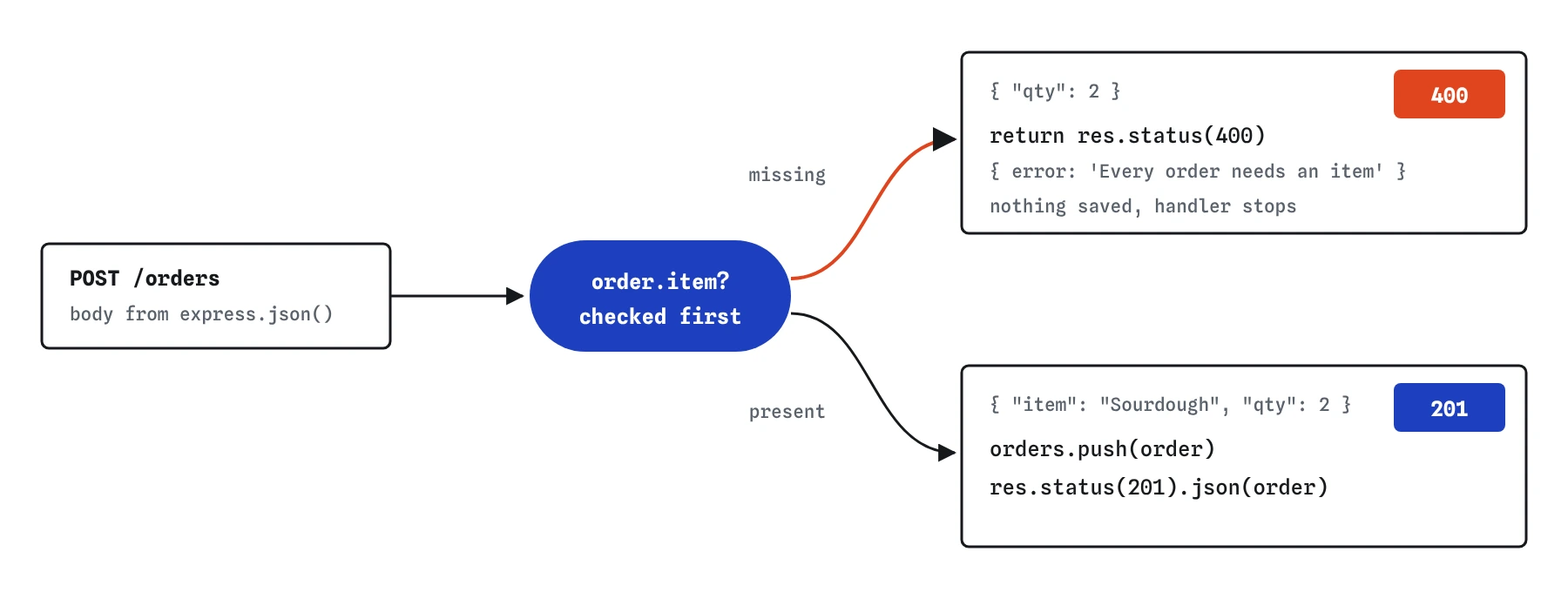
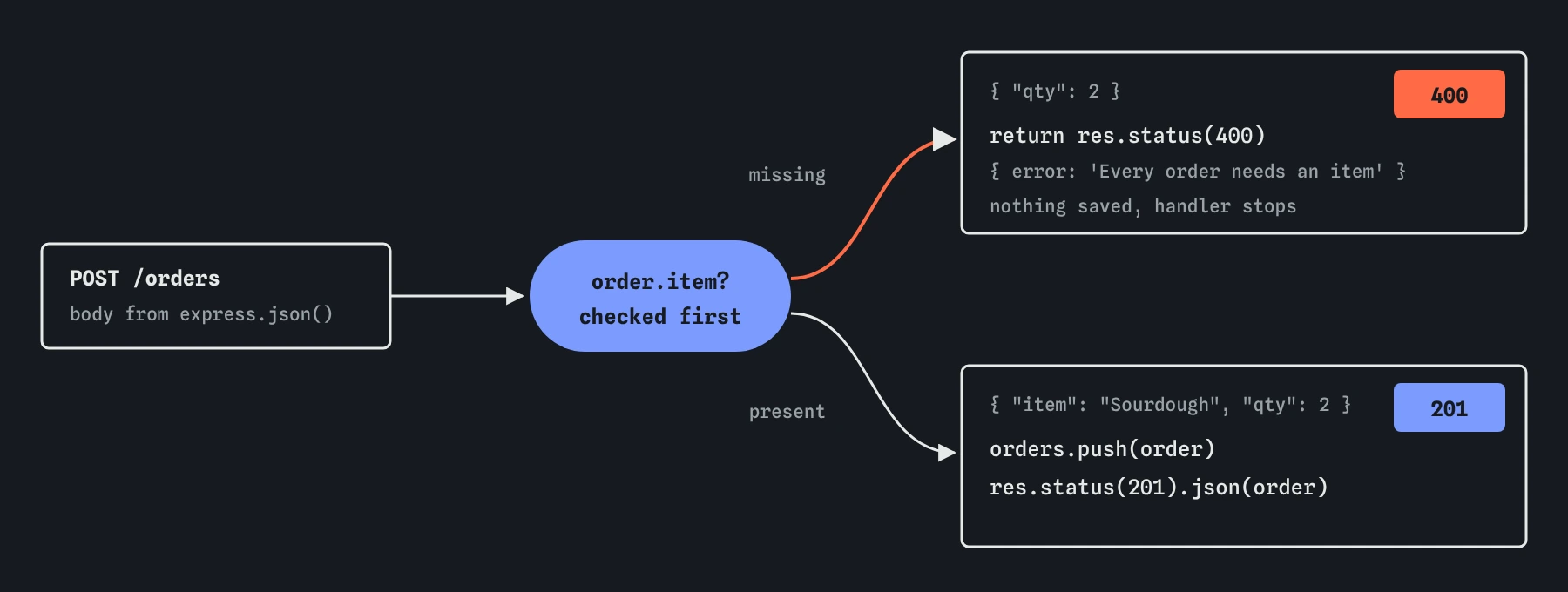
A handler is a normal JavaScript function. Sending a response doesn’t stop it. If you send a 400 inside an if and the code below that if also sends, both run. The first one reaches the visitor, the second throws ERR_HTTP_HEADERS_SENT, and any work between them, such as saving the order, still happens.
The usual fix is return res.status(400).json(...). The return ends the function at that point. Writing every early answer this way makes the rule visible: check, answer and leave, then do the real work only when all checks have passed.
app.post('/orders', (req, res) => {
  if (!req.body.item) {
    return res.status(400).json({ error: 'Every order needs an item' });
  }
  orders.push(req.body);
  res.status(201).json(req.body);
});
Why does the number matter to browsers and search engines?
Browsers act on several codes directly. A 3xx with a Location header makes them load the new address. A 401 with a WWW-Authenticate: Basic header makes the browser show its own login box. Many browsers cache a 301 for a long time, so test a permanent redirect carefully before you ship it. A fetch() call in a page sets response.ok to true only for 2xx, which is what most front-end code checks.
Search engines index 200 pages, drop 404 and 410 pages over time, and transfer a page’s ranking along a 301. A missing page answered with 200 and a “not found” message is called a soft 404, and it can leave empty pages in search results for months. Monitoring tools count 5xx answers to decide whether your site is down.
How do you pick between 400, 401, 403 and 404?
Ask what the client would need to change. If the request itself is malformed or missing a field, it is 400; the client should fix the data. If the visitor isn’t logged in, it is 401; logging in might help. If they are logged in but not allowed, such as a member opening the bird club’s admin page, it is 403; logging in again won’t help.
Use 404 when the thing doesn’t exist. Some sites also answer 404 for private things a visitor isn’t allowed to know about, so the response doesn’t confirm they exist. Both are reasonable; pick one rule per site and keep to it.
How do you check status codes here?
The Requests view puts the status on every answer, colour-coded by family. Send **Order with no item** before and after your change and compare the two numbers. Send **GET /old-menu** and you will see two exchanges: the 301 with its Location header, and the GET /menu the request bar made when it followed the redirect.
When you read code an AI wrote, look for error branches that send without res.status(), early answers without return, and catch blocks that answer 200 with an error message. Each one hides a failure from the programs that call your server.
Also watch for 500 used as a catch-all for anything unexpected, including bad input. A 500 says the server is at fault, so monitoring tools page someone and clients may retry the same broken request. If the client sent something wrong, the honest answer is a 4xx code that tells it what to fix.
Field notes
- The status code is the server's short verdict on a request, sent before the body.
- The first digit groups codes: 2xx success, 4xx a client mistake, 5xx a server problem.
- Use
res.status(201).json(order)to set a status and send in one line. - Sending a response does not stop the function, so return right after an early error.
Easy to get wrong
Without res.status(), Express sends 200. Programs reading the status treat the error as a success.
Sending doesn’t end the function. Without return, the order is saved anyway and a second send throws ERR_HTTP_HEADERS_SENT.
res.status() only sets the number. A response needs a finishing call such as send(), json() or end(), or the request hangs.
Passing the status as the first argument was removed in Express 5. Set it with res.status().
Questions people ask
Should a JSON API send 200 with an error field instead?
No. Use the right 4xx or 5xx code and put the details in the body, such as { "error": "Every order needs an item" }. Clients can check the number first and read the message when they need it.
What is the difference between 401 and 403?
401 means the server doesn’t know who you are, so logging in might help. 403 means it knows and still refuses. The login lessons use both.
What about 422 Unprocessable Content?
Some APIs use 422 when the JSON is well formed but the values fail validation, and keep 400 for broken requests. Either is acceptable; this course uses 400 for both to keep things simple.
Does Express ever choose a status for me?
Yes. It sends 200 by default, 404 when no route matches, 500 when a handler throws, 400 when express.json() gets broken JSON, and 302 for res.redirect() without a number.