What are you building?
You are building a small quiz for a bird club website. It shows one question at a time with three answer buttons. Clicking an answer colours that button green or red, adds a point when you were right, and updates a score line. A Next button moves on to the following question.
Nothing here is new. Every line uses something you already practised: an array of objects for the questions, a function that draws one question, a condition that compares the answer, createElement for the buttons, classList for the colours, and event delegation for the clicks. The difference is that this time you decide how the pieces fit together. The starter has comments marking each part, and the hints point back to the lessons that cover them, but nobody hands you the finished lines.
Expect to get things wrong on the first try. That is the point of a project. Each mistake you fix here is one you will spot quickly next time, in your own code or in code an AI tool writes for you.
{ text: "Which bird is the fastest diver?",
  options: ["Robin", "Peregrine falcon", "Wren"],
  answer: "Peregrine falcon" }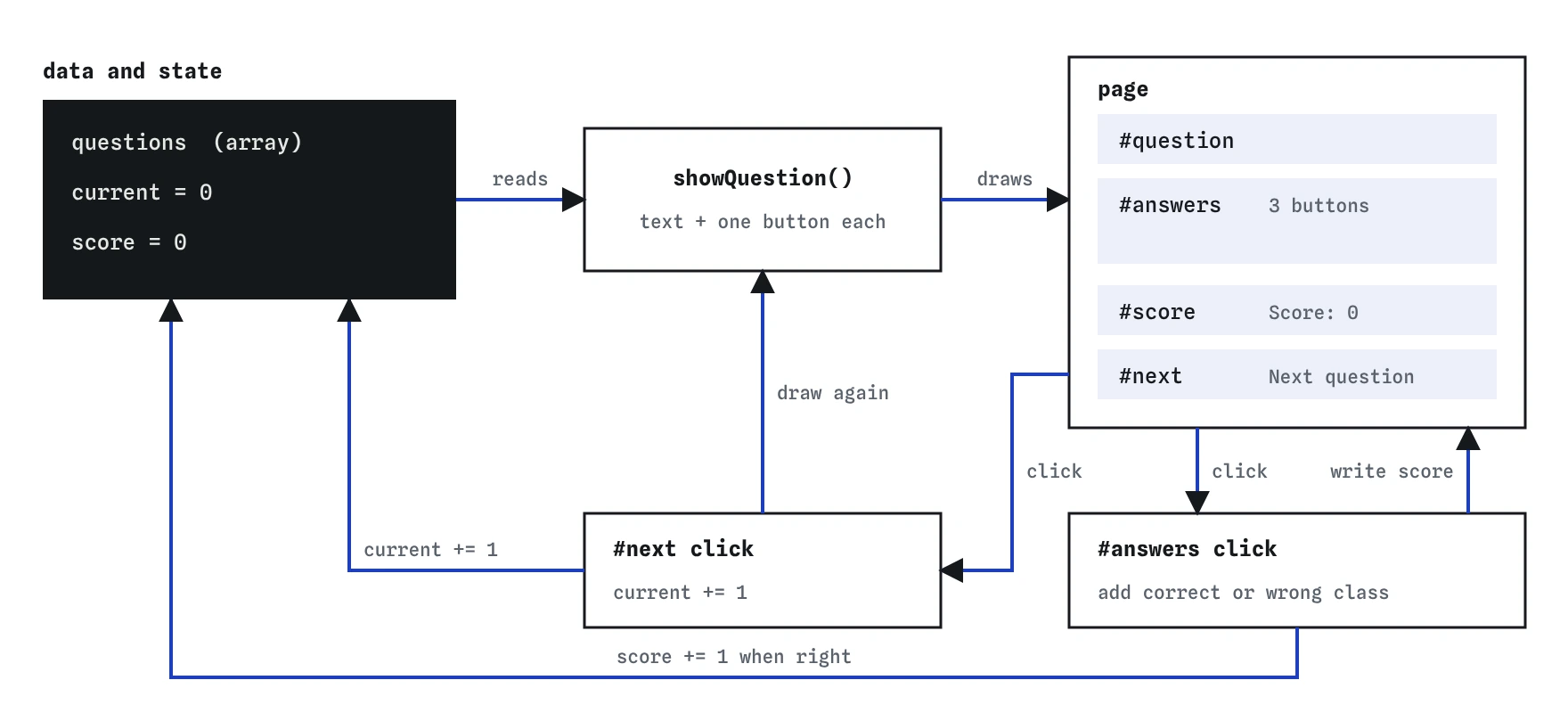
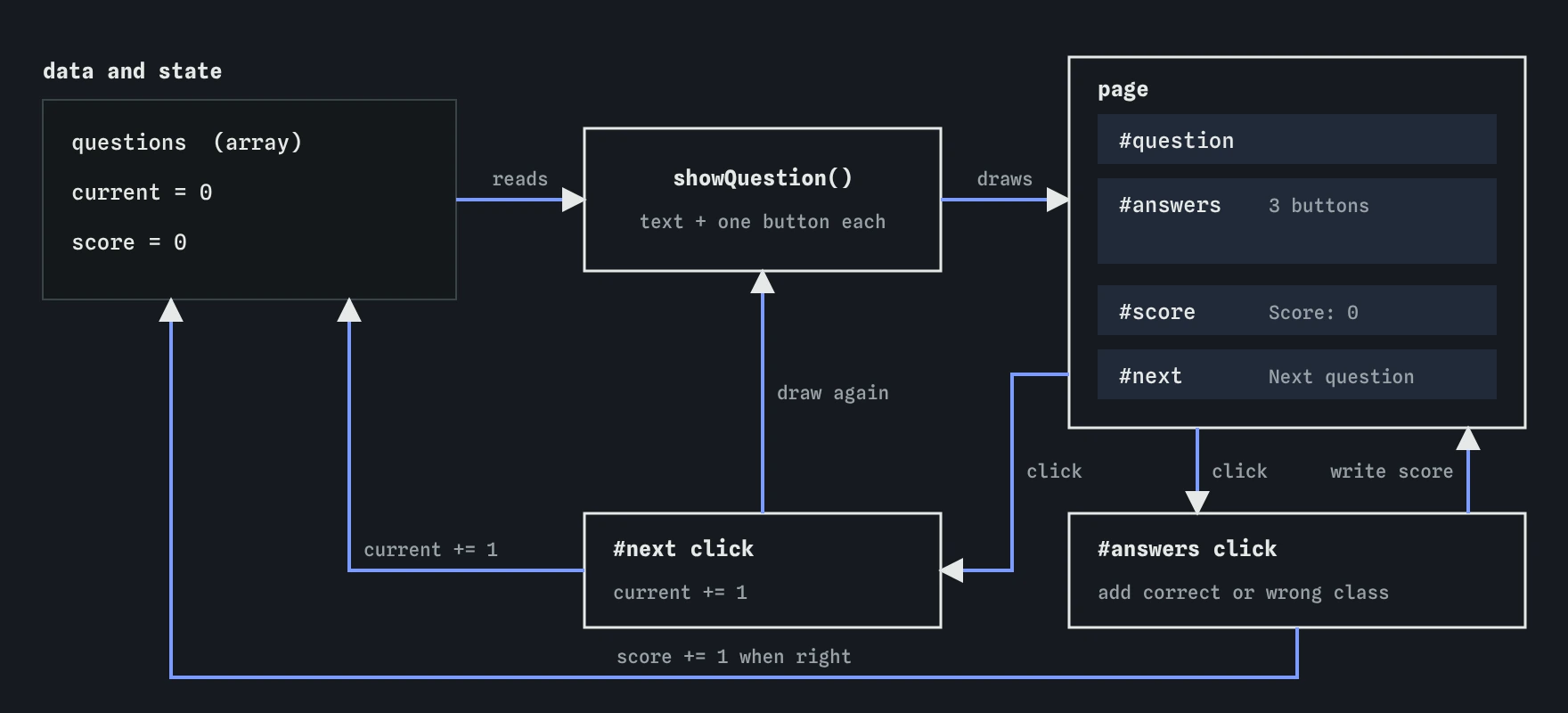
questions array, current and score. Each click changes one of those numbers, then the page is updated to match.How should you plan before typing?
Read the starter top to bottom before changing anything. Find the data (the questions array), the elements (the four querySelector lines), and the two pieces of state: current, the index of the question on screen, and score, the number of right answers so far. Everything the page shows can be worked out from those two numbers plus the array.
Then write the plan in plain words, as comments if you like. Draw a question: read questions[current], put its text in the paragraph, empty the answers area, add a button per option. Handle a click: find the button, compare its text with the answer, add a class, maybe add a point, write the score. Handle Next: add one to current and draw again.
Build one step at a time and run the page after each. Get the question and buttons showing first, with no click handling at all. Once they look right, add the click listener. Add Next last. Small steps mean that when something breaks, you know which five lines caused it.
- Draw the current question and its buttons.
- Check a clicked answer and update the score.
- Move to the next question.
- Test each step before starting the next.
Which earlier lessons does each part use?
The question data is an array of objects, from the Arrays and Objects lessons. questions[current] picks one object and question.options reads its list of answers. If you are unsure how to read a value inside an object inside an array, log questions[0] in the Console and look at its shape.
Drawing the buttons uses the Creating elements lesson: document.createElement("button"), set its textContent, then append it to the container. Give each button type="button" so it can never act as a form submit button if the quiz later ends up inside a form. Emptying the container first uses replaceChildren() with no arguments, which removes every child in one call.
The click handling uses Event delegation: one listener on #answers instead of one per button, with event.target.closest("button") to find which button was hit. Delegation helps here because the buttons are replaced every time the question changes; a listener on the container keeps working, while listeners on old buttons would vanish with them. The right-or-wrong decision is an if/else from Making decisions, and the colours come from classList.add, covered in Classes and styles.
How do you draw one question?
Write showQuestion so it depends only on current and the array. It reads the question object, writes the text with textContent, empties #answers, and loops over the options with forEach, creating one button each. Call it once at the bottom of the script so the first question appears on load, and again whenever current changes.
Keeping all drawing in one function pays off quickly. When you add a feature later, such as a progress line saying "Question 2 of 5", there is one obvious place to put it. Code that updates the page from many places at once tends to drift out of step, which is the problem the later lesson on keeping the page in sync tackles head on.
function showQuestion() {
  const question = questions[current];
  questionText.textContent = question.text;
  answers.replaceChildren();
  question.options.forEach((option) => {
    const button = document.createElement("button");
    button.type = "button";
    button.textContent = option;
    answers.append(button);
  });
}
How do you check your own work?
Use the Console first. Type questions[current] after the page loads to see the object the page should be showing, and score after a click to see the number behind the score line. If the screen and the Console disagree, the bug is in the drawing code.
Open the Step lens and click an answer. You can watch the listener run line by line: which element event.target is, what closest returns, whether the if takes the first branch, and whether score really changes. A line that runs but leaves a variable untouched is easy to see this way.
The Events lens shows each click and which function responded. If you click a button and nothing is listed, the listener is attached to the wrong element or was never attached. The Changes lens outlines what the script altered: after Next you should see the old buttons removed and three new ones added. Six outlined buttons means the container was never emptied.
What commonly goes wrong?
Comparing the wrong thing is the most frequent bug. The answer is stored as text, so compare button.textContent with questions[current].answer. If you store the answer as an index instead, compare indexes, and keep that choice consistent across every question. Mixing the two styles produces a quiz where some right answers are marked wrong.
Forgetting to save a calculation is next. score + 1 on its own line works out a number and discards it; you need score += 1. The same trap shows up with current. Writing current++ as a statement is fine, but current = current++ puts the old value back.
Listeners inside showQuestion are a quieter problem. If you attach the #answers listener inside the drawing function, every question adds another copy, and by question three each click scores three points. Attach listeners once, at the top level, and let drawing only draw.
Finally, think about the end of the array. When current reaches the last question, adding one more gives an index with no question, and questions[current].text throws an error because questions[current] is undefined. Guard Next with a condition that checks current < questions.length - 1.
How can you make it fairer and easier to use?
As built, a visitor can click every answer on a question and collect a point from the right one after two wrong guesses. Fix that by tracking whether the current question has been answered, or by setting disabled on every answer button once one is clicked. Reset that state in showQuestion.
Colour alone is a weak signal, since some visitors cannot tell red from green. Add a short message in a paragraph with aria-live="polite", such as "Right, it is the peregrine falcon" or "Not this time", so the result is announced to screen reader users and readable by everyone. Real <button> elements already work with Tab, Enter and Space, which is another reason not to use clickable <div> elements for answers.
What could you add next?
Once the required parts pass, pick one or two of these. Each one reuses a single earlier lesson and gives you more practice without a new concept.
- Show "Question 2 of 5" above the question, worked out from
currentandquestions.length. - Disable the answer buttons after the first click so each question can only score once.
- Show a final screen with the score and a Play again button that resets
currentandscore. - Shuffle the options with a copy of the array so the right answer is not always in the same place.
- Save the best score in
localStorageand show it on the final screen. - Add more questions, then check nothing in your code assumed there were exactly two.
Field notes
- Plan first: find the data, the elements and the functions you need.
showQuestionshould depend only oncurrentand the questions array.- Clear old answer buttons before adding new ones.
- Compare the clicked button's text with the stored answer to mark it.
Easy to get wrong
The first line calculates a value and throws it away. The variable only changes when you assign the result back to it.
A listener added inside the drawing function is added again for every question, so one click runs the check several times and inflates the score.
Building HTML from strings breaks when an option contains characters such as <, and rebuilding with += re-creates every existing button each time. Creating elements keeps text as text.
Questions people ask
Should the answer be stored as text or as an index?
Either works. Text is easier to read in the data and to compare with textContent. An index survives rewording an option. Pick one and use it for every question.
Why use one listener on the container instead of one per button?
The buttons are replaced on every question. A listener on #answers stays put and catches clicks on whatever buttons are inside it at the time.
How do I stop the quiz from crashing after the last question?
Check current < questions.length - 1 before adding one, and show a finished message when there are no questions left.
Can I ask an AI tool to write the quiz?
You can, and then read it against this page. Look for listeners added inside loops or drawing functions, innerHTML built from data, and a missing check at the end of the array.