What is a custom property?
A custom property is a property you name yourself. Its name starts with two dashes, such as --brand or --space-md, and you declare it inside a rule like any other property. On its own it does nothing visible. It only has an effect when another declaration reads it with the var() function.
People call them CSS variables, and that is a fair description. You store a value once, such as a brand colour, and every rule that needs it refers to the name. Change the stored value and every use updates, in the browser, while the page is running. Preprocessor variables like those in Sass are replaced with fixed values at build time, so they cannot change with a media query or a class.
Names are case-sensitive, so --Brand and --brand are two different properties. Keep them lowercase with hyphens to match the rest of CSS.
:root {
  --brand: #1f6f5c;
  --radius: 6px;
}

.btn {
  background-color: var(--brand);
  border-radius: var(--radius);
}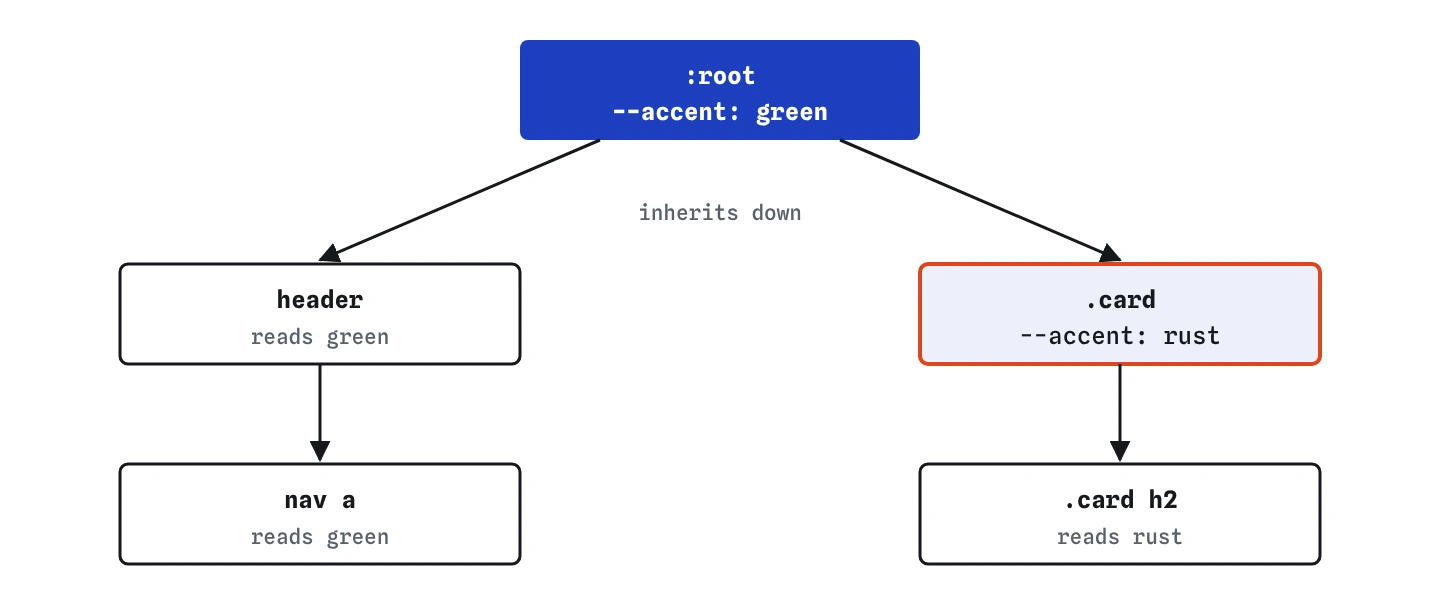
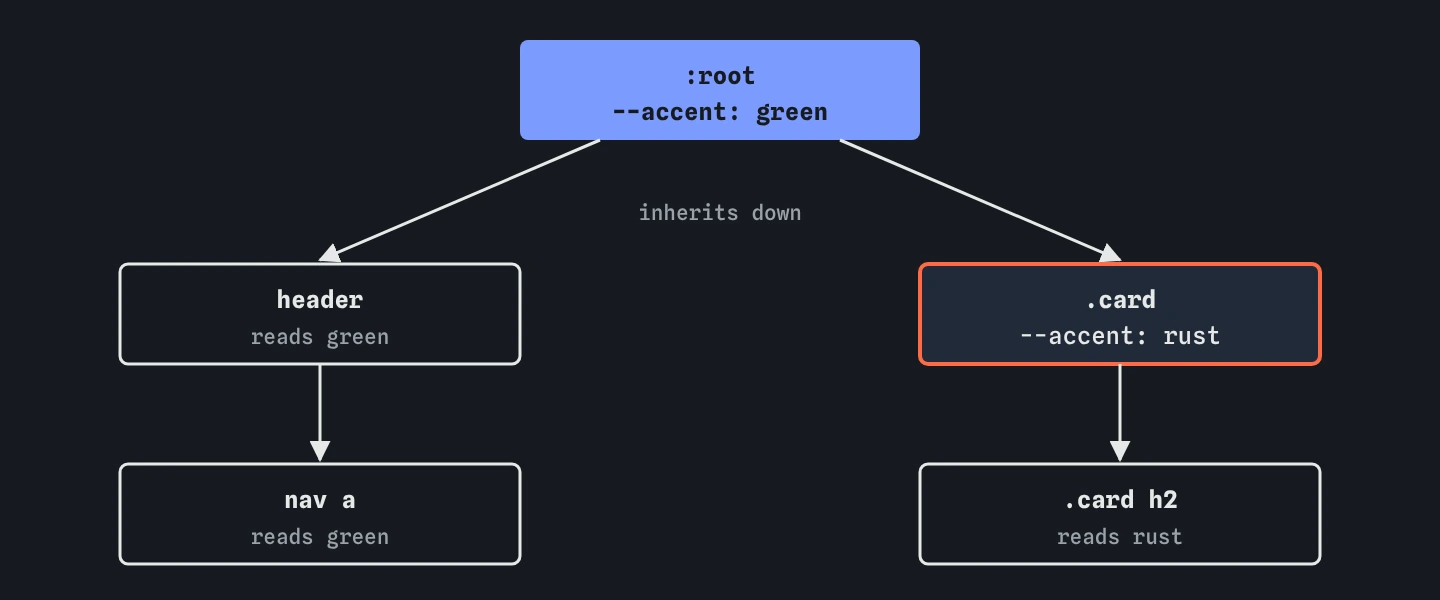
:root flows down to every element. The .card sets its own --accent, so the card and everything inside it read rust while the rest of the page still reads green.How does var() handle a missing value?
The var() function takes the variable name and an optional fallback after a comma: var(--accent, #c2410c). The fallback is used when the variable is not defined on the element or any ancestor. Everything after the first comma counts as the fallback, so var(--font, Georgia, serif) gives the fallback Georgia, serif.
When a variable is missing and there is no fallback, the browser does something surprising. The declaration was valid when the CSS was parsed, so it is not skipped like a typo. At computed-value time the property becomes invalid, and the browser uses its inherited value for inherited properties like color, or its initial value for the rest, like background-color. Any earlier declaration for the same property is already discarded by then. That is why a misspelled variable turns a button transparent instead of keeping the colour from a rule above.
Fallbacks are useful in reusable components that might be dropped into a page without the theme loaded. Inside your own site, where the theme is always present, they mostly add noise.
.badge {
  color: var(--badge-text, #ffffff);
  background-color: var(--badge-bg, #3b2a1a);
}
Where is a variable visible?
Custom properties inherit, like color does. A variable set on an element is available to that element and all of its descendants. It is not visible to siblings, parents or anything elsewhere in the tree. That is why global values usually live on :root, which matches the <html> element and sits at the top of every page.
You can override a variable lower down. Set --accent on .card and every element inside that card sees the new value, while the rest of the page keeps the root value. This is how one component can have a different accent without new selectors for every child.
To see which value an element is using, select it in the DevTools Elements panel. Custom properties show up in the Styles pane under the rule that set them, and hovering a var() reference shows the resolved value. The Computed pane lists every custom property the element can see.
:root {
  --accent: #1f6f5c;
}

.card.sale {
  --accent: #b5462a;
}

.card h2 {
  color: var(--accent);
}
How do you set up a theme on :root?
A theme is a short list of variables named by their job. A typical starter set covers text colour, muted text, surface, raised surface, brand, border and a few sizes. Name them by role, such as --text and --surface, rather than by look, such as --dark-brown, so the names still make sense when the colours change.
Components then read only these variables. A card uses --surface and --border, a button uses --brand. When you want a seasonal theme for a bakery's winter menu, you change six values in one rule instead of searching for hex codes across a dozen files.
When you read CSS written by an AI tool, check whether it defines a theme and then ignores it, with hex codes repeated inside components. That mix is common, and it means a later theme change will miss half the page.
:root {
  --text: #292524;
  --muted: #78716c;
  --surface: #fffaf0;
  --border: #e7dcc8;
  --brand: #b5462a;
}
How do variables make dark mode easier?
Because custom properties are live, you can change them inside a media query. Redefine the theme variables under @media (prefers-color-scheme: dark) and every component that reads them switches, with no component code touched.
The same idea works with a class or attribute for a manual toggle, such as [data-theme="dark"] on the <html> element. Many sites support both: the media query for the system setting and the attribute when the user picks a theme by hand.
Add color-scheme: light dark to :root as well, so form fields and scrollbars switch with you. For pairs of single colours the light-dark() function from the colours lesson can replace the media query, but a block of variables is easier to read once you have more than a few.
@media (prefers-color-scheme: dark) {
  :root {
    --text: #e7e5e4;
    --surface: #1c1917;
    --border: #44403c;
  }
}
How do variables work with calc()?
The var() function pastes its value into the declaration as text, before the browser checks the result. That means you can do maths with it inside calc(): calc(var(--space) * 2) doubles a spacing value, and calc(var(--space) * -1) gives a negative margin of the same size.
A common pattern stores a bare number and adds the unit at the point of use: --columns: 3 and then calc(100% / var(--columns)). Keep units inside variables that are always lengths, such as --space: 16px. A variable set to 16 used directly as padding: var(--space) produces padding: 16, which is invalid, and the padding drops to zero.
You cannot build a property name or part of a number from a variable. var(--size)px does not join into 16px, it produces two separate tokens and fails. Multiply by 1px instead: calc(var(--size) * 1px).
:root {
  --space: 16px;
}

.recipe {
  padding: var(--space);
  margin-bottom: calc(var(--space) * 2);
}
What does @property add?
A normal custom property has no type. The browser stores whatever text you give it, which is why it cannot animate a variable smoothly: it does not know that --angle: 10deg is an angle. The @property rule registers a variable with a syntax, an initial value and whether it inherits.
Once typed, the browser checks values against the syntax and falls back to the initial value when they do not match. It can also interpolate the value, so you can transition a gradient angle or a colour stop that would otherwise jump. Supported in all major browsers since Firefox added it in 2024.
Most projects never need @property. Reach for it when you want to animate a value inside a gradient, or when a design system needs a guaranteed default for a variable.
@property --angle {
  syntax: "<angle>";
  inherits: false;
  initial-value: 0deg;
}
Field notes
- A custom property has a name that starts with two dashes, like
--brand. - You read a variable with
var()and can give it a fallback value. - Variables pass down to child elements, just like
colordoes. - Defining theme variables on
:rootlets the whole page share them.
Easy to get wrong
The two dashes are part of the name. Without them var() is invalid and the browser drops the declaration.
The value is pasted in as written, so a unitless number becomes padding: 16, which is invalid. Put the unit in the variable or multiply by 1px in calc().
A variable only reaches the element it is set on and its descendants. The footer is not inside the header, so it never sees the value.
CSS does not glue a variable and a unit into one number. Use calc() to convert a bare number into a length.
Questions people ask
Are custom properties slower than plain values?
Not in any way you will notice on a normal page. Changing a variable on :root restyles every element that reads it, so avoid changing root variables on every animation frame.
Can I use a variable inside a media query condition?
No. @media (min-width: var(--bp)) does not work, because media queries are evaluated outside the element tree. Write the breakpoint value directly.
Can JavaScript read and change a custom property?
Yes. getComputedStyle(el).getPropertyValue('--brand') reads it and el.style.setProperty('--brand', '#b5462a') sets it on that element for it and its descendants.
Should every colour and size become a variable?
Only values that repeat or that you expect to change together. A one-off margin-top on a single heading is clearer as a plain value.