What are you building?
This project styles the profile page you wrote in the HTML course: your name, a short introduction, a list of projects and a way to contact you. The HTML stays as it is. Every visual decision lives in one stylesheet, built up in the order below, so you can stop after any step and still have a working page.
Start with no CSS at all and check the page still makes sense: headings in order, links that say where they go, a list for the projects. CSS should improve a page that already works, which is also what visitors with a failed stylesheet or a reader mode will see.
The finished page needs no media queries for its layout. The header wraps, the text column limits itself, and the card grid works out its own column count. That is the modern pattern: give the browser flexible rules and let it handle each screen.
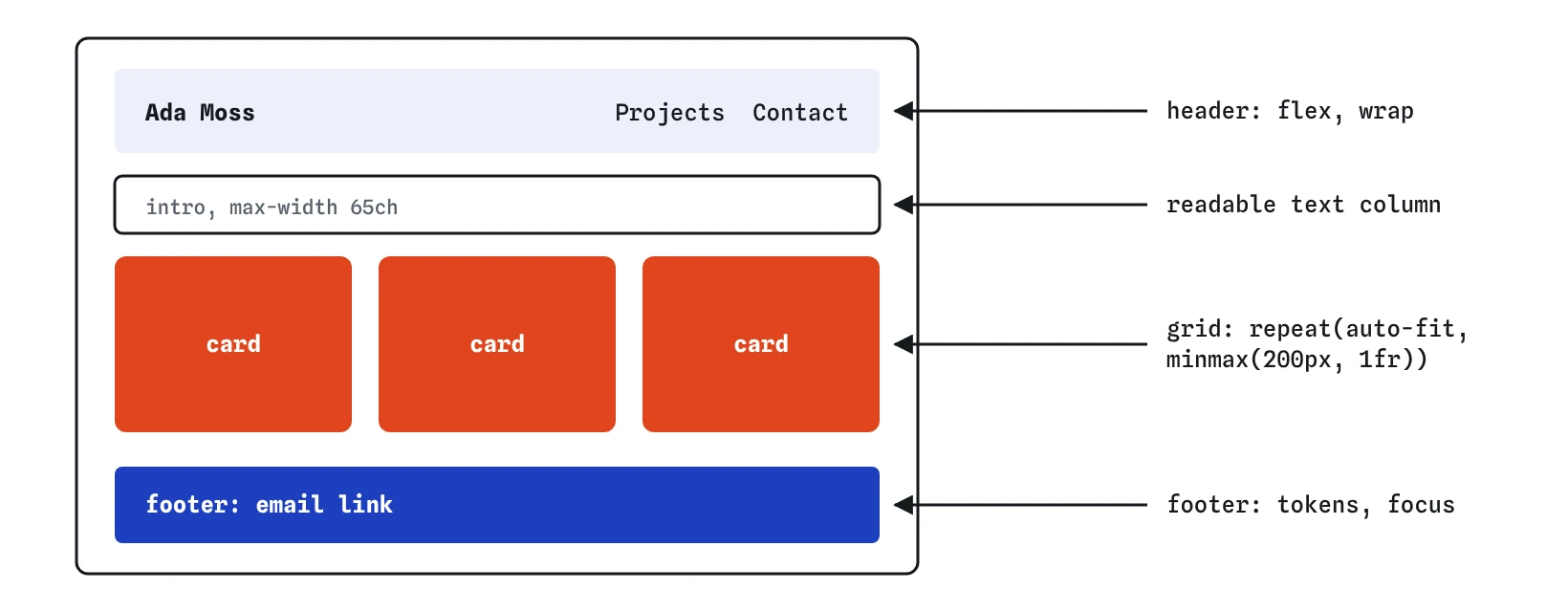
auto-fit, and a footer, all styled from one set of custom property tokens.How do you set up a small design system?
Put your decisions in custom properties on :root. A handful is enough for a personal page: three or four colours, a spacing scale, and a type scale. Name them by role, such as --color-text and --color-accent, rather than by appearance, so dark mode can change the value without the name becoming a lie.
A spacing scale of three or four steps keeps gaps consistent. A type scale works the same way: pick sizes in rem so they follow the visitor's font setting, and use clamp() for the main heading so it grows on wide screens without becoming huge on phones.
Every later rule uses var() instead of raw values. When you want a different accent colour next month, you change one line.
:root {
  --color-text: #222222;
  --color-bg: #fdfbf7;
  --color-accent: #b5442c;
  --color-line: #d8d0c4;
  --space-s: 0.5rem;
  --space-m: 1rem;
  --space-l: 2rem;
  --step-0: 1rem;
  --step-1: 1.25rem;
  --step-2: clamp(1.75rem, 4vw + 1rem, 2.5rem);
}
What goes on the body?
Base styles on body are inherited by everything: the font stack, the line height, the text and background colours. A system font stack such as system-ui, sans-serif loads instantly and looks native on every device. A line height around 1.5 to 1.6 suits body text.
Add box-sizing: border-box to every element so widths include padding, and remove the default margin on body. Then make images flexible with max-width: 100% and height: auto, so a large screenshot never forces the page to scroll sideways.
*,
*::before,
*::after {
  box-sizing: border-box;
}

body {
  margin: 0;
  background-color: var(--color-bg);
  color: var(--color-text);
  font-family: system-ui, sans-serif;
  line-height: 1.6;
}

img {
  max-width: 100%;
  height: auto;
}
How do you make a readable text column?
Long lines are tiring: the eye loses its place moving back to the start of the next one. A maximum width of about 60 to 75 characters is comfortable, and the ch unit measures roughly one character of the current font, so max-width: 65ch expresses it directly.
Centre the column with margin-inline: auto and give it side padding so text never touches the screen edge on a phone. Use max-width, never width: a fixed width overflows small screens, while a maximum lets the column shrink.
.wrapper {
  max-width: 65ch;
  margin-inline: auto;
  padding-inline: var(--space-m);
}
How do you lay out the header?
The header has two parts: your name and the navigation. Flexbox puts them on one line with justify-content: space-between, and align-items: baseline lines up the text of the name and the links. Add flex-wrap: wrap and a gap, so on a narrow phone the navigation drops below the name instead of squashing.
Give the links in the navigation some padding. A tap target of at least 24 by 24 pixels is the WCAG minimum, and closer to 44 pixels is kinder to thumbs.
.site-header {
  display: flex;
  flex-wrap: wrap;
  justify-content: space-between;
  align-items: baseline;
  gap: var(--space-s) var(--space-m);
}
How does the card grid adapt by itself?
The project list becomes a grid with grid-template-columns: repeat(auto-fit, minmax(200px, 1fr)). The browser fits as many 200px columns as the container allows, then stretches them to share the leftover space. One card per row on a phone, two or three on a laptop, with no media query.
Remove the list's default padding and bullets with padding: 0 and list-style: none. Some screen readers in Safari stop announcing a list when its bullets are removed; if your visitors rely on that, add role="list" to the <ul> in the HTML.
Use gap for spacing between cards. Give each card padding, a thin border in the line colour and a small radius. Cards in the same row stretch to the same height automatically, so short descriptions do not leave ragged bottoms.
.projects {
  display: grid;
  grid-template-columns: repeat(auto-fit, minmax(200px, 1fr));
  gap: var(--space-m);
  padding: 0;
  list-style: none;
}
How should links and focus look?
Links in body text need to look like links without relying on colour alone, so keep the underline. text-underline-offset moves it slightly away from the letters, which reads better. Change the underline thickness or the colour on hover for feedback.
Keyboard users need a visible focus indicator. Style :focus-visible with a clear outline in the accent colour and a small outline-offset. Never write outline: none without a replacement: it leaves keyboard users with no idea where they are on the page.
a {
  color: var(--color-accent);
  text-underline-offset: 0.2em;
}

a:focus-visible {
  outline: 3px solid var(--color-accent);
  outline-offset: 2px;
}
How do you add an accessible dark mode?
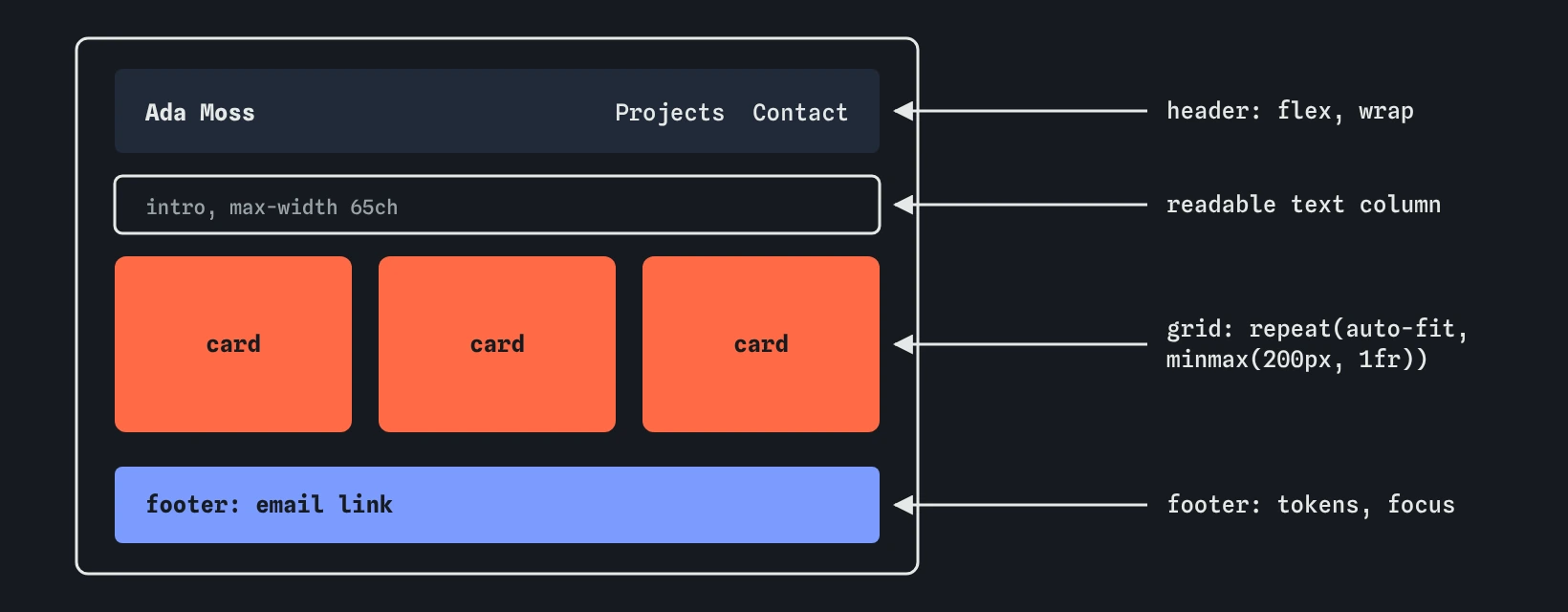
Because every colour is a token, dark mode is one media query that redefines the tokens. prefers-color-scheme: dark matches when the visitor's system uses a dark theme. Add color-scheme: light dark on :root so form controls and scrollbars switch too.
Dark mode is a second palette, so check its contrast separately. Use an off-black background rather than pure black, a light grey text rather than pure white, and lighten the accent: a rust red that passes on cream usually fails on near-black. Aim for at least 4.5:1 for body text and links in both themes.
:root {
  color-scheme: light dark;
}

@media (prefers-color-scheme: dark) {
  :root {
    --color-text: #ece6dc;
    --color-bg: #1b1916;
    --color-accent: #f08a6c;
    --color-line: #4a443c;
  }
}
What should you check before you publish?
Run through this list in a real browser before you share the page:
- Contrast: body text, links and focus outlines reach 4.5:1 in light and dark themes. DevTools shows the ratio in the colour picker.
- Focus visible: press Tab from the top. Every link shows a clear outline in the order you expect.
- Works at 320px: set DevTools to a 320px wide device. Nothing scrolls sideways and no text is cut off.
- Zoom: at 200% browser zoom the page still reads in one column with nothing overlapping.
- Reduced motion: any hover lift or transition is turned off or reduced inside
prefers-reduced-motion: reduce. - No stray values: no
!important, no fixed pixel widths on containers, and every colour comes from a token.
Field notes
- Keep colours, spacing and type sizes as custom property tokens on
:root. - A text column of about 60 to 75 characters wide is comfortable to read.
- Flexbox puts the name and navigation on one line in the header.
repeat(auto-fit, minmax(200px, 1fr))makes a card grid that fits any width.
Easy to get wrong
A fixed width overflows phones. A maximum width keeps lines readable and lets the column shrink.
Three fixed columns squeeze cards on a phone. auto-fit picks the column count from the space available.
Removing the outline leaves keyboard users lost. Replace it with a more specific one.
Name tokens by role. In dark mode the value changes, and a name describing the colour becomes wrong.
Questions people ask
Should dark mode have a toggle as well?
Following the system setting is enough for a personal page. A toggle needs JavaScript to store the choice and a class or attribute that overrides the media query.
auto-fit or auto-fill?
With few items, auto-fit stretches them to fill the row, and auto-fill keeps empty tracks so cards stay at their minimum width. For a project list, auto-fit usually looks better.
What if a card is narrower than 200px on a tiny screen?
Use minmax(min(200px, 100%), 1fr) so the minimum never exceeds the container width.
Do I need a CSS framework for this?
No. Tokens, flexbox, grid and one media query cover the whole page in under a hundred lines.