What is a figure in HTML?
The <figure> element holds a piece of content that the main text refers to but that could move elsewhere without breaking the flow. Think of the photos, charts and code listings in a printed report, each with "Figure 3" underneath. In HTML the content can be an image, a chart, a diagram, a code sample, a quotation, a video or a small table.
The optional <figcaption> gives that content a caption. It must be the first or last child of the <figure>, and there can be only one. When a caption is present, browsers use it as the accessible name of the figure, so screen readers announce something like "figure, Nest box 4 in the east wood".
By default browsers indent a figure with margins on both sides. That margin is a default style with no meaning, and CSS can remove it. If your figure looks oddly pushed in, check the default margin in DevTools before you blame your layout.
<figure>
  <img src="nestbox.jpg" alt="A blue tit leaving a wooden nest box"
       width="600" height="400">
  <figcaption>Nest box 4 in the east wood, May.</figcaption>
</figure>
When should you use a figure instead of a plain img?
Use a figure when the content has a caption, or when the text refers to it as a separate item ("see the chart below"). The figure groups the content with its caption, so they stay together when the layout changes and assistive tech knows the caption belongs to that image.
Use a plain <img> when the image is part of the flow and needs no caption. A logo in the header, an avatar next to a comment, an icon inside a button and a decorative divider are all plain images. Wrapping them in figures adds noise for screen reader users, who hear "figure" with nothing useful attached.
A quick test helps: could you move this item to an appendix and refer to it by number? If yes, it is a figure. If removing it would leave a hole in a sentence, it is inline content and should stay a plain element.
- Figure: a photo with a credit, a chart with a title, a diagram the article discusses, a code listing with a file name.
- Plain image: logos, avatars, icons, decorative graphics, product thumbnails in a grid.
- Neither: a background pattern, which belongs in CSS.
How is a caption different from alt text?
Alt text replaces the image for people who cannot see it. It describes what the image shows, in the context of the page. A caption is extra information that everyone sees: who took the photo, when, where, or what the reader should notice.
Because a caption is visible and read aloud, it should not repeat the alt text. If the alt says "A blue tit leaving a wooden nest box" and the caption says the same, a screen reader user hears the sentence twice. Let the alt describe the picture and the caption add context: "Nest box 4, east wood, May 2026."
Never drop the alt attribute because a caption exists. The figure caption names the figure; the alt still stands in for the image itself. The one case for alt="" inside a figure is when the caption already fully describes the image, so the description would be repeated word for word. That is rare, and an honest short alt is the safer default.
<figure>
  <img src="heron.jpg"
       alt="A grey heron standing in shallow water at dawn"
       width="800" height="533">
  <figcaption>Photo by Lena Ortiz, Marsh Lane hide.</figcaption>
</figure>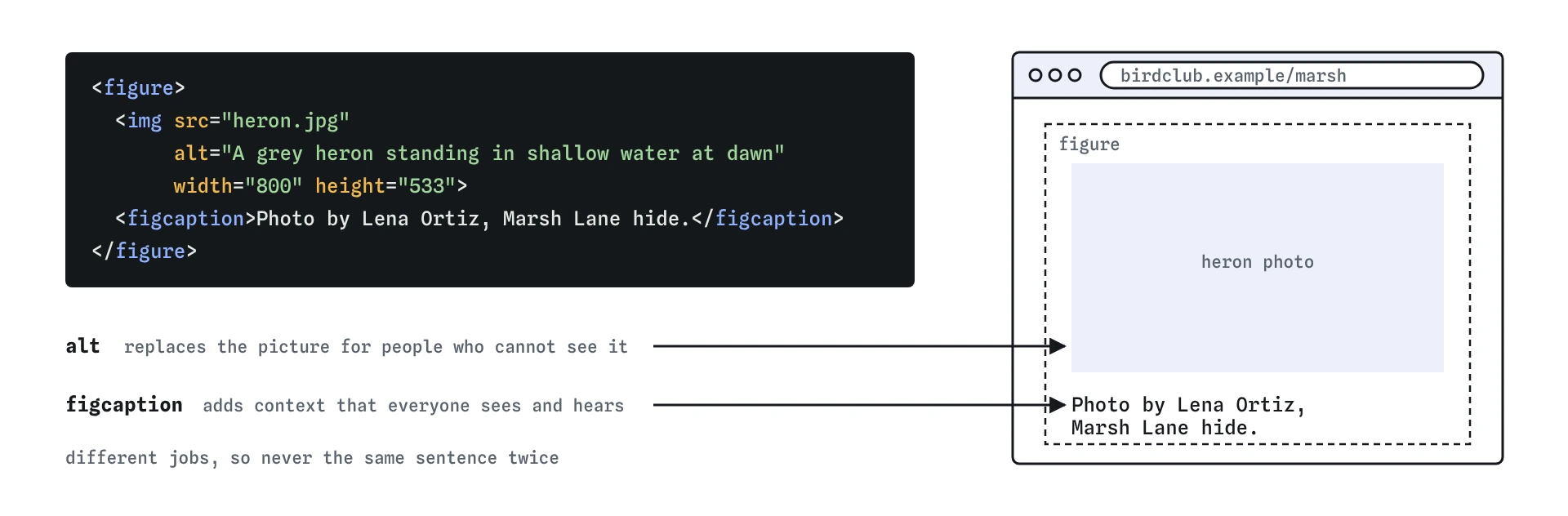
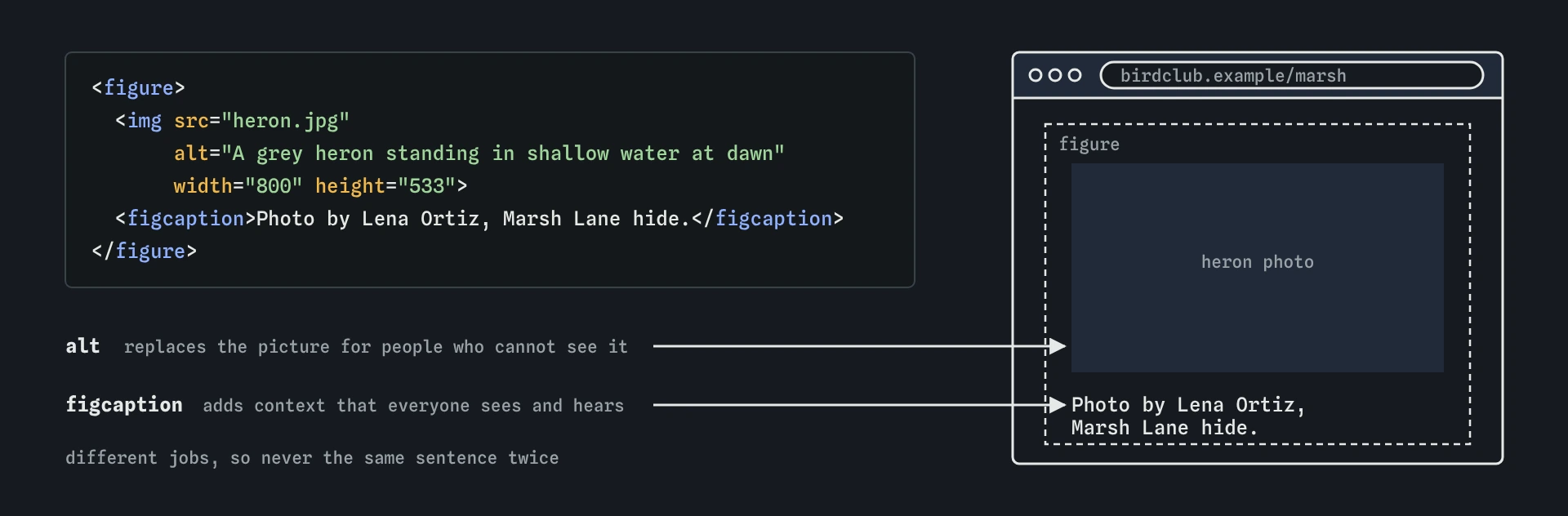
figure keeps the heron photo and its caption together. The alt describes what the picture shows, and the figcaption adds the credit and place, so a screen reader user never hears the same sentence twice.How do you caption a chart or diagram?
Charts carry data, so their text alternative has to carry the data too. A short alt like "Bar chart of nest box use" says what kind of image it is but hides the numbers. Put the key finding in the alt or the caption, and give the full numbers in a table or list near the chart.
The caption is a good home for the chart title and source: "Nest boxes used per year, 2022 to 2026. Source: club survey." Sighted readers scan it first, and screen readers announce it with the figure.
Inline <svg> charts work in a figure too. Give the SVG role="img" and a <title> inside it, or an aria-label, so it has a name. A diagram that explains a process, such as how to fit a nest box, can use a caption for the summary and a numbered list below for the steps.
<figure>
  <img src="boxes-chart.png" width="640" height="360"
       alt="Bar chart: nest box use rose from 4 in 2022 to 12 in 2026.">
  <figcaption>Nest boxes used per year. Source: club survey.</figcaption>
</figure>
Can a figure hold code or a quote?
Yes. A code listing that the text refers to can sit in a figure, with the caption naming the file or what the code does. Keep the code itself in <pre><code> so the spacing is preserved.
A quotation with its source fits well too. The <blockquote> holds the quoted words and the <figcaption> holds the attribution. This keeps the person and the quote together, and it avoids the old mistake of putting the author name inside the blockquote, which wrongly marks it as part of the quote.
The same pattern works for a short video clip with a caption, an audio recording of a bird call, or a small table. A table already has its own <caption> element, so prefer that over a figure caption unless the table is one of several items in the figure.
<figure>
<blockquote>
<p>Count the birds you see, not the birds you hope for.</p>
</blockquote>
<figcaption>Margaret Hale, club founder</figcaption>
</figure>
<figure>
<pre><code><p>Hello</p></code></pre>
<figcaption>The smallest useful HTML element.</figcaption>
</figure>Can one figure contain several images?
A figure can group several images that share one caption, such as a before and after pair or a set of three photos of the same bird. Each image still needs its own alt text, because each one is a separate picture.
If each image needs its own caption, use separate figures. You can nest figures inside a larger figure when there is also an overall caption, but keep that for real cases. Deep nesting is hard to style and confusing to hear.
<figure>
  <img src="box-before.jpg" alt="Empty nest box in March" width="300" height="300">
  <img src="box-after.jpg" alt="Nest box with moss lining in April" width="300" height="300">
  <figcaption>Nest box 7 before and after nesting began.</figcaption>
</figure>
How do you check figures in DevTools and with AI code?
In the Elements panel, select the figure and open the Accessibility pane. The computed name should match your caption. If the name is empty, the caption is missing or is not a direct child of the figure, for example because it was wrapped in an extra <div>.
When an AI tool writes your page, watch for three habits. It often wraps every image in a figure, even logos and icons. It often writes alt and caption with the same sentence. And it sometimes puts the caption in a <p> or <span> next to the image instead of a <figcaption>, which looks the same but loses the link between the two.
A last check is to read the page with images turned off, using a browser extension or by breaking the src. Every image should still make sense through its alt text, and every caption should still add something.
Field notes
- A
<figure>holds content the text refers to that could move elsewhere. - Put the caption in a
<figcaption>inside the figure. - Alt text replaces the image, while a caption adds information for everyone.
- Each image in a figure still needs its own alt text.
Easy to get wrong
Screen reader users hear the alt and the caption, so identical text is read twice. Let the caption add context.
A caption names the figure but does not replace the alt attribute. Without alt, some screen readers read the file name.
A logo has no caption and is not referred to as a separate item. A figure here only adds an extra announcement.
A paragraph looks like a caption but is not connected to the figure. Only figcaption gives the figure its name.
Questions people ask
Is figcaption required inside figure?
No. A figure without a caption is valid, but the caption is usually the reason to use a figure at all. Without one, consider a plain element.
Where does figcaption go?
It must be the first or the last child of the figure. Either position is fine, and CSS can move it visually.
Does figure help SEO?
Search engines read captions as text near the image, which helps them understand it. The bigger win is good alt text and relevant surrounding words.
Can I put a link inside figcaption?
Yes. A figcaption can hold links, emphasis and other inline content, such as a link to the photographer.
Should alt text be empty when there is a caption?
Usually no. Keep a short description in alt and use the caption for context. Use empty alt only when the caption already describes the image fully.