Why do some characters need escaping?
The HTML parser reads your file one character at a time. When it meets <, it assumes a tag is starting. When it meets &, it assumes a character reference is starting. If you want either symbol to appear as visible text, you write a character reference instead, and the parser turns it back into the symbol when it builds the page.
A character reference starts with & and ends with ;. Named references use a word, like <. Numeric references use a Unicode code point, like < or <. All three produce the same < on screen. The DOM never sees the reference itself: open DevTools, inspect the paragraph, and you will find the plain character in the text node.
Most of the time you need very few references. A UTF-8 file can hold any character directly, so references are for the handful of characters that have syntax meaning, plus invisible characters you want to make obvious in the source.
<p>Write <strong> around the warning.</p>
<p>Fish & Chips, Friday only</p>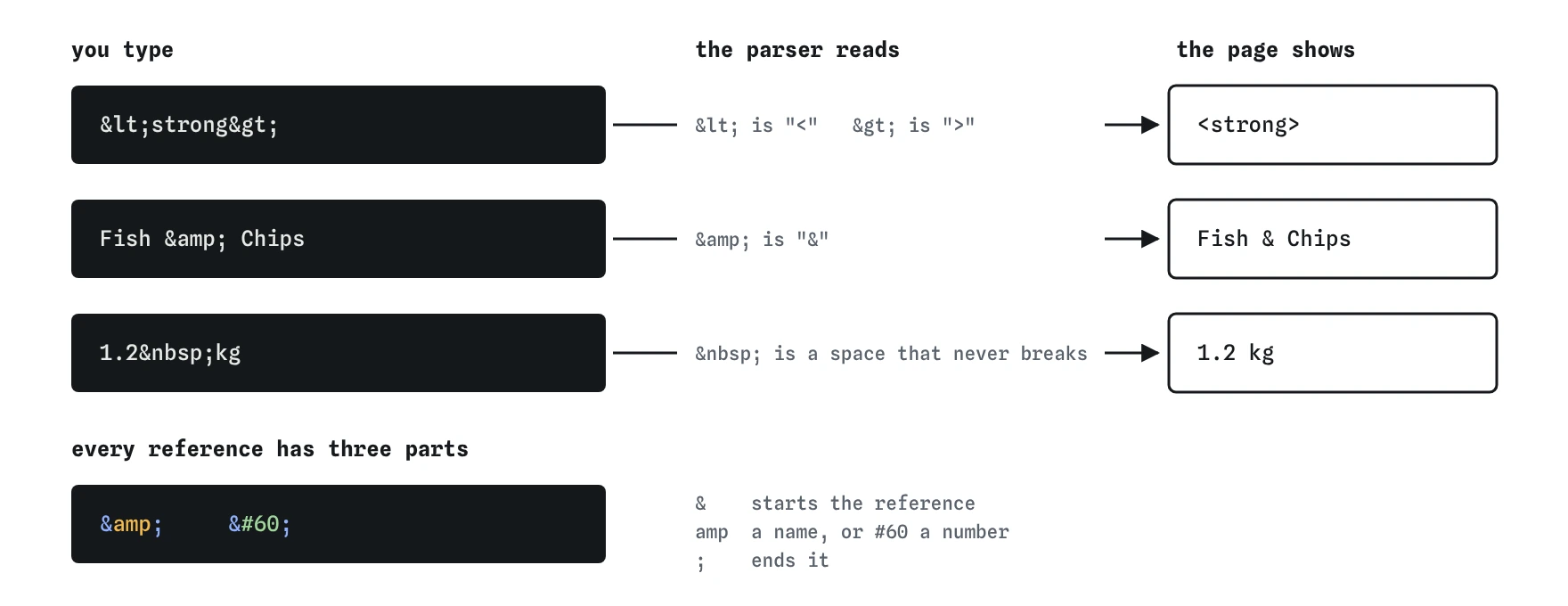
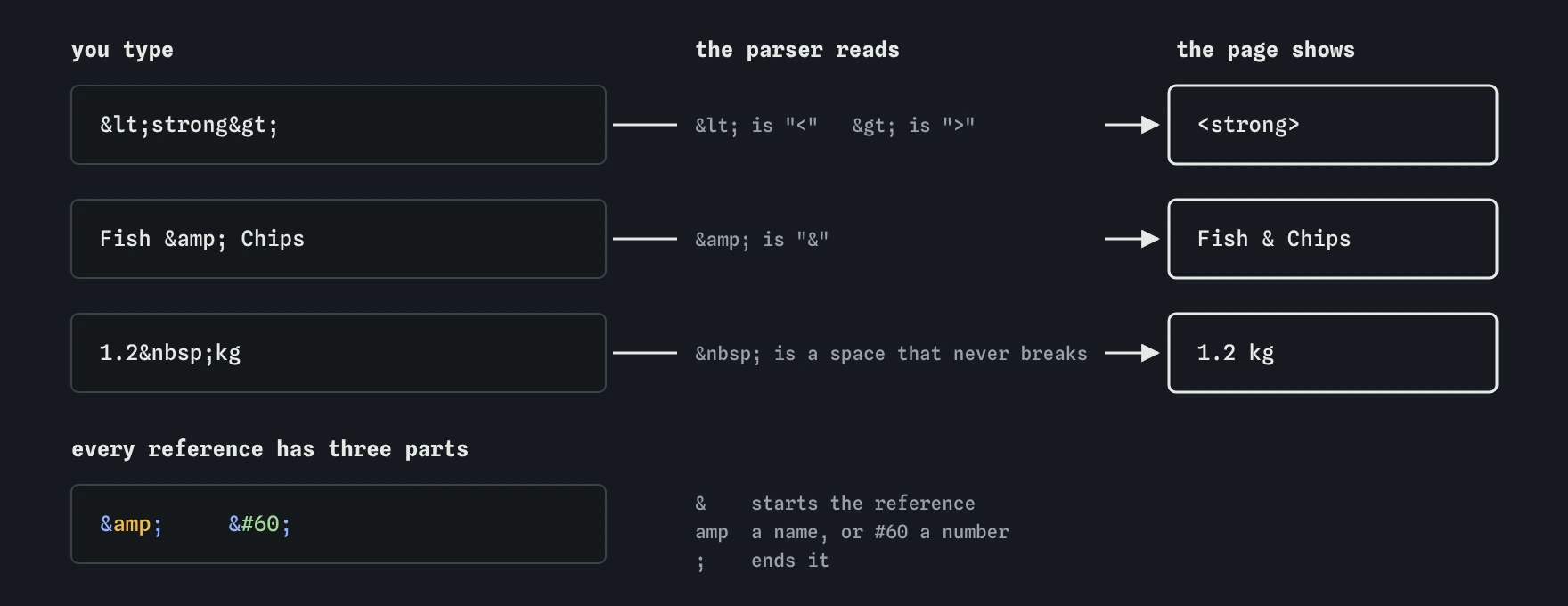
< as the start of a tag and & as the start of a reference, so you write < and & when you want those symbols as text. Each reference turns back into one character on the page.Which references do you actually need?
For a modern UTF-8 page, the working list is short. Learn these and type everything else directly.
<input value="Say "hello" to the team">
<a href="/search?q=bread&sort=new">Newest bread</a><for<in text, so the parser does not start a tag.&for&. Escape every ampersand in text and in attribute values, including ones inside URLs.>for>. The parser rarely needs it in text, but escaping it next to<keeps code samples readable."for a double quote inside a double-quoted attribute value, and'for a single quote inside a single-quoted value. for a non-breaking space.- Numeric references for invisible characters such as a zero-width space or a soft hyphen, where the source would otherwise look empty.
What happens if you forget to escape an ampersand?
Browsers are forgiving here, which hides the problem. If the text after a bare & does not match a known reference name, the parser keeps the ampersand as text and moves on. Fish & Chips renders fine because & followed by a space is not a reference.
Trouble starts when the following letters happen to form a real name. A URL like /menu?size=large©=2 can render as /menu?size=large©=2 in older parsing modes, because © is a legacy reference that works even without the semicolon. The current standard has special rules for attributes that stop most of these cases, but text content is still at risk, and the validator flags every one.
The fix costs nothing: write & every time. Escaped ampersands always parse the same way, in text, in attributes and in URLs. The browser decodes & back to & before it follows the link, so the server receives the correct query string.
<!-- Risky -->
<a href="/menu?size=large©=2">Order</a>
<!-- Safe -->
<a href="/menu?size=large&copy=2">Order</a>When should you use a non-breaking space?
The reference produces U+00A0, a space the browser will not break a line at and will not collapse with neighbouring spaces. Use it between short pieces that must stay together: a number and its unit (12 kg), a title and a name (Dr. Okafor), or a time and its suffix (9 am).
Do not use runs of to indent text or push elements sideways. The gap depends on the font, breaks at different zoom levels, and screen readers may announce odd pauses. Spacing belongs in CSS through margin, padding, gap or text-indent.
There is a related trap with copy pasted from word processors. They often insert non-breaking spaces silently, and a long phrase glued together with them can overflow a narrow phone layout because the browser has nowhere to wrap it. If a line refuses to wrap, search the source for U+00A0.
<p>The loaf weighs 1.2 kg and bakes at 220 °C.</p>How do numeric character references work?
Any Unicode character can be written by its code point. Decimal form is © and hexadecimal form is ©. Both give the copyright sign, as does the named ©. Hex is easier to match against Unicode charts, which list code points as U+00A9.
Numeric references shine for characters you cannot see. A zero-width space (​) lets a long URL wrap at a chosen point. A soft hyphen (­, or ­) marks where a long word may hyphenate. A right-to-left mark (‏) fixes punctuation in mixed Arabic and English text. Typed directly, each of these is invisible in your editor, and the next person to edit the file will never know it is there.
A few numbers are off-limits. The parser replaces � and surrogate code points with the replacement character, and maps the old Windows range € to Ÿ onto the characters Windows used, so – becomes an en dash. Write the real code point instead, such as –.
<p>© 2026 Harbour Bakery · Loaves from €4</p>
<p>Supercalifragilistic­expialidocious</p>Why does UTF-8 make most references unnecessary?
UTF-8 is the encoding that maps the bytes in your file to characters, and it covers every script and symbol in Unicode. Declare it with <meta charset="utf-8"> as the first element inside <head>, within the first 1024 bytes of the file, and save the file as UTF-8 in your editor. The declaration and the real file encoding must match.
With that in place, type é, ñ, 中文, → or ½ directly. Text stays readable in the source, diffs stay small, and search inside your editor works. Using é throughout a French page only makes the source harder to read and edit.
If the encoding is wrong, you see mojibake: café instead of café. That pattern means UTF-8 bytes were read as Windows-1252. Check the Content-Type response header in the DevTools Network panel first, because a server header like charset=iso-8859-1 overrides your meta tag.
<head>
  <meta charset="utf-8">
  <title>Café menu</title>
</head>
How do you show HTML code on a page?
To display markup as text, escape every < and & inside it, then wrap it in <pre><code>. The <pre> element keeps line breaks and indentation, and <code> tells assistive tech and styles that this is code.
Quotes and > are safe as plain text. Some people escape > too so the sample reads symmetrically. If you build the page with JavaScript, set textContent instead of innerHTML and the browser escapes everything for you. Template engines such as Jinja, Nunjucks and React escape output by default; the danger comes when someone switches that off with |safe or dangerouslySetInnerHTML.
<pre><code><img src="heron.jpg" alt="Grey heron"></code></pre>How do you check entities and encoding?
Run the page through the W3C Nu HTML Checker. It reports unescaped ampersands that could be read as references, unknown named references, and a missing or late charset declaration.
In DevTools, inspect an element and look at the text node: references are already decoded, so & shows as &. To see what the server sent, open the Network panel, pick the document, and view the raw response. The Headers tab shows the Content-Type charset.
For invisible characters, paste a suspicious string into a code point inspector or run [...str].map(c => c.codePointAt(0).toString(16)) in the console. A stray a0 or 200b in the output explains many layout mysteries.
What do AI tools get wrong with entities?
AI-generated HTML tends to overuse named references. You will see ’ for every apostrophe and — for dashes in a file that is already UTF-8. Nothing breaks, yet the source becomes hard to edit. Replace them with the real characters unless there is a reason to keep them.
The opposite mistake is more serious: bare & in URLs inside href and src, and unescaped < in code samples that end up rendered as real tags. Also look for double escaping, such as &lt; appearing on screen as <, which happens when text is escaped once by the tool and again by a template. Finally, check that <meta charset> is present and comes first in the head.
Field notes
- The browser reads
<as the start of a tag and&as the start of a reference. - Write
<to show a<sign as text. - Write
&to show an ampersand safely. - With UTF-8 you can type most symbols directly.
Easy to get wrong
Bare ampersands usually render, which is why they slip through. Some combinations match legacy reference names and change the text or the URL, and the validator flags them all.
Rows of non-breaking spaces depend on the font and zoom, and screen readers can announce them as pauses. CSS spacing scales correctly.
The browser only looks for the declaration in the first 1024 bytes. Later, it may already have guessed a different encoding and shows garbled characters.
Named references are unnecessary for ordinary letters in UTF-8 and make the source harder to read, search and translate.
Questions people ask
Is the semicolon at the end of a reference optional?
For a few legacy names like & and © the parser accepts it without a semicolon, but that is an error-recovery rule. Always write the semicolon so every reference parses the same way.
Do I need to escape > in text?
No. The parser treats > in text as a plain character. Escaping it with > is harmless and some people do it in code samples for symmetry.
Should I use '?
It is valid in HTML now, but ' has wider support in older tools and email clients. Inside a double-quoted attribute you do not need to escape a single quote at all.
Why do I see a black diamond with a question mark?
That is U+FFFD, the replacement character. The browser hit bytes that are invalid in the declared encoding, usually because the file was saved as Windows-1252 but declared UTF-8, or the reverse.
Does escaping protect against XSS?
Escaping user text before inserting it into HTML is the main defence for text content. Attribute values, URLs and script contexts each need their own encoding rules, so use a template engine that escapes by context.