What does an img element need?
The <img> element is a void element with no closing tag. It needs src, the URL of the image file, and alt, the text alternative. The width and height attributes are technically optional, but you should add them on every content image.
Images are inline by default, which means they sit on the text baseline and leave a small gap underneath for descenders. That gap is why a photo inside a card often has a few stray pixels below it. Set display: block on the image, or vertical-align: middle, to remove it.
The browser starts fetching an image as soon as the parser sees the tag, often before CSS loads. That is why the attributes you put in the HTML matter more than anything you set later in a stylesheet or script.
<img src="/img/heron.jpg" alt="A grey heron standing in shallow water" width="1200" height="800">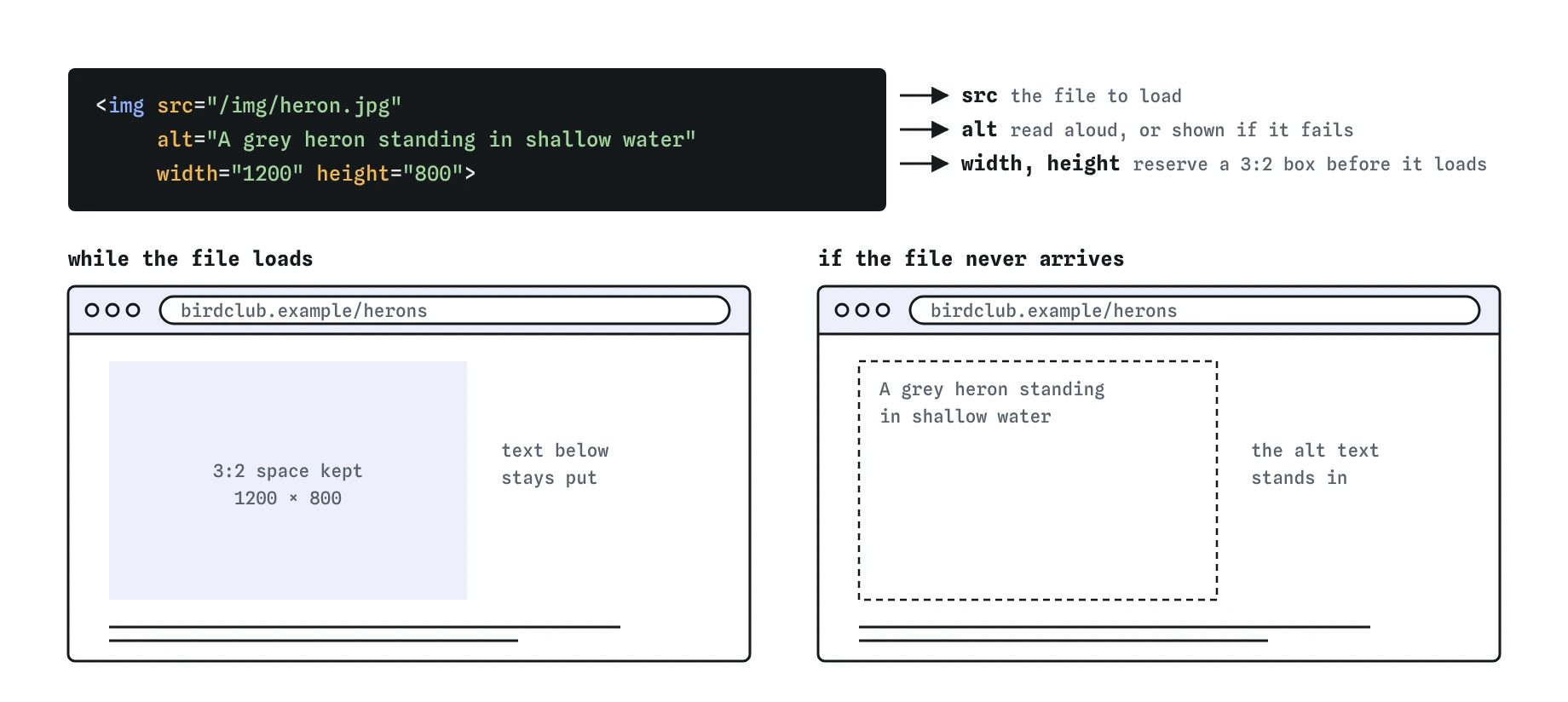
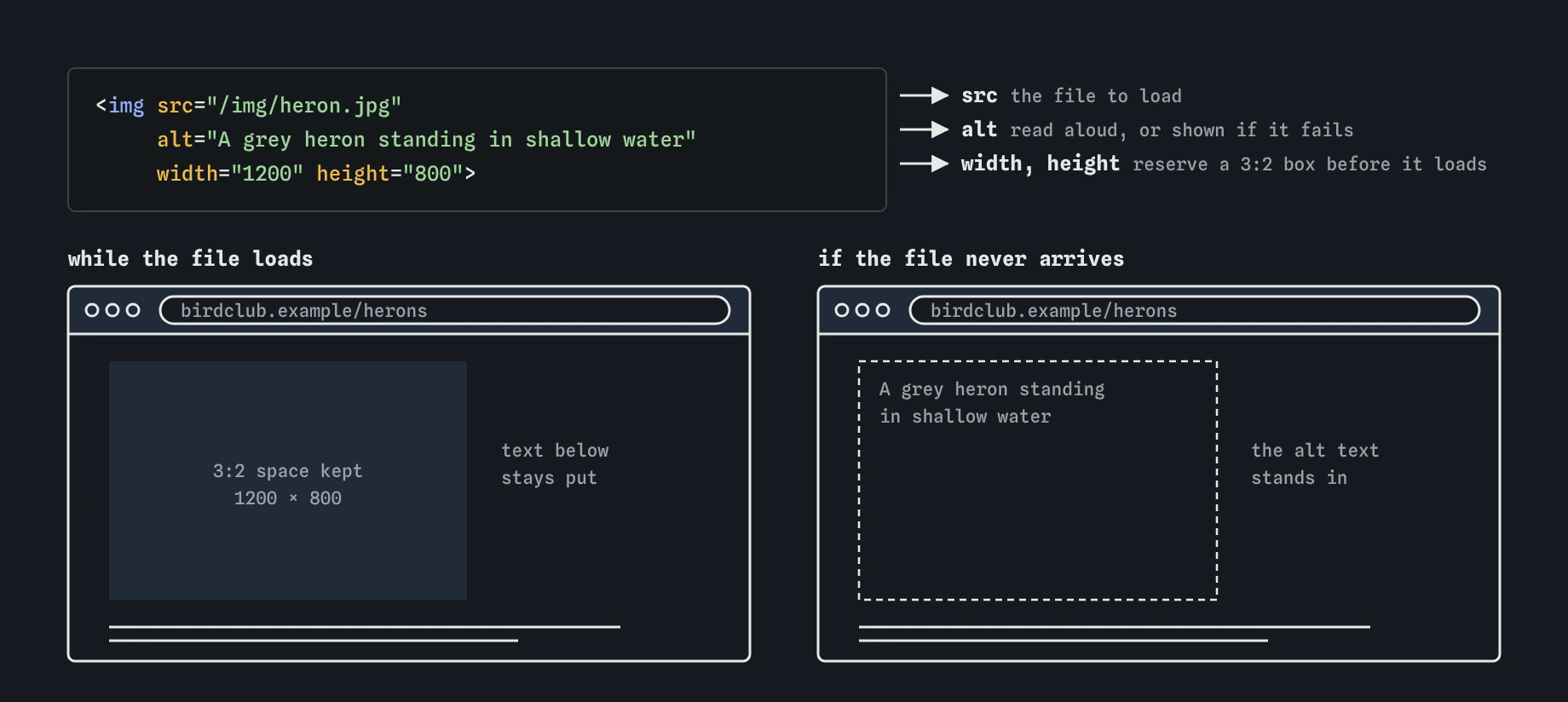
src says which file to load and alt stands in for the picture when it cannot be seen. The width and height let the browser keep the right space before the heron photo arrives, so the text below never jumps.How do you write good alt text?
Screen readers read the alt text aloud, browsers show it when the image fails to load, and search engines use it to understand the image. Write what the image communicates in this context, in a sentence or less. Skip "image of" or "photo of"; screen readers already say it is an image.
The same picture needs different alt text on different pages. On a shoe shop product page, the photo needs colour, material and style: "Green suede trail runner with orange laces". In a race report, "My muddy shoes after the finish" carries the point. Ask what someone would miss if the image vanished.
Keep alt text under about 150 characters where possible. Longer descriptions are fine for complex images, but put them in visible text nearby or in a <figcaption>, where everyone benefits.
- Informative photo: describe the content this page needs.
- Image inside a link or button: describe the destination or action, such as "Home" for a logo link.
- Image of text: repeat the text exactly.
- Chart or diagram: give the main finding in
altand the full data in a table or paragraph nearby. - Decorative image: use an empty
alt, covered below.
When should alt be empty?
If an image is purely decorative, or its information is already in the nearby text, write alt="". Screen readers skip the image entirely. A missing alt is different: many screen readers then read the filename, so a visitor hears "IMG underscore 4032 dot jpeg".
Common cases for empty alt: a divider flourish, a background texture placed with <img>, an icon next to a visible label, and a product thumbnail in a card that already has the product name as a link right beside it. In the card case, describing the image again would make screen reader users hear the same name twice.
If an image is decorative everywhere it appears, consider moving it to CSS with background-image, which keeps it out of the accessibility tree and out of the content entirely.
<button type="button">
  <img src="/icons/gear.svg" alt="" width="16" height="16"> Settings
</button>
Why set width and height?
The width and height attributes give the image's intrinsic size in pixels, written without units. Browsers use them to compute an aspect ratio before the file arrives, so they reserve the right space and the text below does not jump when the image loads. That jump is what Cumulative Layout Shift measures, and Google uses it as a ranking signal.
CSS still controls the displayed size. With max-width: 100% and height: auto, the browser keeps the ratio from your attributes and scales the image to fit its container. The attributes only need the right proportions, so a 1200 by 800 file can say width="1200" height="800" even if it never displays that large.
If the ratio in the attributes does not match the file, the image is stretched or squashed unless you add object-fit: cover. Check this whenever you replace an image with one of a different shape.
img { max-width: 100%; height: auto; }What do loading, decoding and fetchpriority do?
Setting loading="lazy" delays fetching until the image is near the viewport. On a long gallery page it saves a lot of data. Do not lazy-load the main image near the top of the page; it delays the Largest Contentful Paint, which is usually that image. The default is loading="eager".
The fetchpriority="high" attribute tells the browser to fetch the hero image ahead of other images. Use it on one image per page, the one that will be the largest thing in the first screen.
The decoding="async" attribute lets the browser decode the image off the main thread. Most browsers already make good choices here, so it rarely changes much; leave it off unless profiling shows decode time is a problem.
<img src="/img/hero-marsh.jpg" alt="Reed beds at dawn" width="1600" height="900" fetchpriority="high">
<img src="/img/gallery-12.jpg" alt="Avocet chick" width="800" height="600" loading="lazy">
When should you use figure and figcaption?
Wrap an image in <figure> when it is referenced from the main text and could move elsewhere, like a diagram in an article or a photo with a credit. The <figcaption> gives it a visible caption that everyone can read.
The caption and the alt text do different jobs. Alt replaces the image for people who cannot see it. The caption adds context for everyone. Do not copy the same sentence into both, or screen reader users hear it twice. A good pattern: alt describes what is in the picture, the caption gives the credit or the point.
<figure>
  <img src="/img/bittern.jpg" alt="A bittern half hidden in tall reeds" width="1200" height="800">
  <figcaption>The first bittern seen at Heron Point since 2019. Photo: R. Patel.</figcaption>
</figure>
Which image format should you choose?
Pick the format by content. Photos go in AVIF or WebP, with JPEG as the fallback. Both AVIF and WebP are supported in every current major browser, and AVIF is often half the size of a JPEG at the same quality. Logos, icons and line art go in SVG, which stays sharp at any size and is usually tiny.
Use PNG for screenshots and images that need exact pixels or transparency where SVG is not an option. GIF is legacy for animation; a muted, looping <video> in MP4 or WebM is a fraction of the size.
Inline <svg> in the HTML can be styled with CSS and inherit currentColor, which is useful for icons. An <img src="logo.svg"> is easier to cache and keeps the markup clean. For an inline SVG that carries meaning, give it role="img" and a <title>.
How do you check images in DevTools?
Open the Network panel, filter by Img, and reload. You will see each file's size, type and when it started loading. A 3 MB JPEG displayed at 300 pixels wide shows up immediately. Hover an <img> in the Elements panel to compare its rendered size with its intrinsic size.
Run Lighthouse to get warnings for missing dimensions, oversized images, missing alt and lazy-loaded LCP images. For alt text, turn on a screen reader such as VoiceOver or NVDA and move through the page, or use the Accessibility pane to see each image's computed name. Turning images off in the browser is a quick way to judge whether the alt text carries the content.
What do AI tools get wrong with images?
When an AI writes image markup, check the alt text first. Models often write alt="image", repeat the filename, start every description with "Image of", or describe decorative icons at length. Fix them by hand, using the page context the model did not have.
Other common slips: missing width and height, loading="lazy" added to every image including the hero, placeholder URLs from services that no longer exist, and <img> written with a closing </img> tag, which is invalid. Also look for title used in place of alt; title shows a hover tooltip, is ignored on touch screens, and does not replace a text alternative.
Field notes
- An
<img>needs asrcfor the file and analtfor the text alternative. - Good alt text says what the image shows in the context of the page.
- Use
alt=""for purely decorative images. - Setting
widthandheightstops the page jumping as images load.
Easy to get wrong
Without alt, screen readers read the filename, and a linked image with no text has no accessible name at all.
Lazy-loading the main image delays the largest paint. The hero should load early and with high priority.
"chart" tells a blind visitor nothing. The point of the chart and its numbers need to be available as text.
Screen readers already announce "image", and a duplicate title adds a tooltip and sometimes a second announcement.
Questions people ask
Can alt text be too long?
Screen readers read alt in one go with no way to pause inside it. Keep it to a sentence, and put long descriptions in visible text near the image.
Do search engines read alt text?
Yes. Google uses alt text and surrounding text to understand images for image search. Write it for people; keyword stuffing hurts both users and rankings.
Is the longdesc attribute still used?
No. longdesc is obsolete in HTML. Link to a description or place it in the page instead.
Should I use img or CSS background-image?
Use <img> for content that has meaning or should print. Use background-image for pure decoration, since it stays out of the accessibility tree.
What alt should an image of a person have?
Describe what the page needs from the image, such as the person's name and role on a staff page. Avoid guessing ethnicity, age or other traits unless they are relevant and known.